Summarize this article with AI
Salla SEO means using the search settings Salla already gives you, then doing the work Salla cannot do for you. Connect your own domain, verify it in Google Search Console, submit your sitemap, write a unique title and description for every product and category, add alt text to images, and build trust with reviews and links from Saudi sites.
Salla makes it easy to open a store. That is also the problem: thousands of stores sell the same perfume, abaya or phone case, often with the same supplier description. Google has no reason to rank yours first unless you give it one.
This guide walks through Salla SEO step by step, using the exact menus in the Salla dashboard, and explains what to fix first if you only have a few hours a week.
Salla SEO: what does Salla handle, and what is left to you?
Salla is a hosted platform, so a lot of the technical work is done for you. Salla's own help centre lists the parts you control: your store description, product descriptions, category and brand pages, image alt text and your sitemap.1
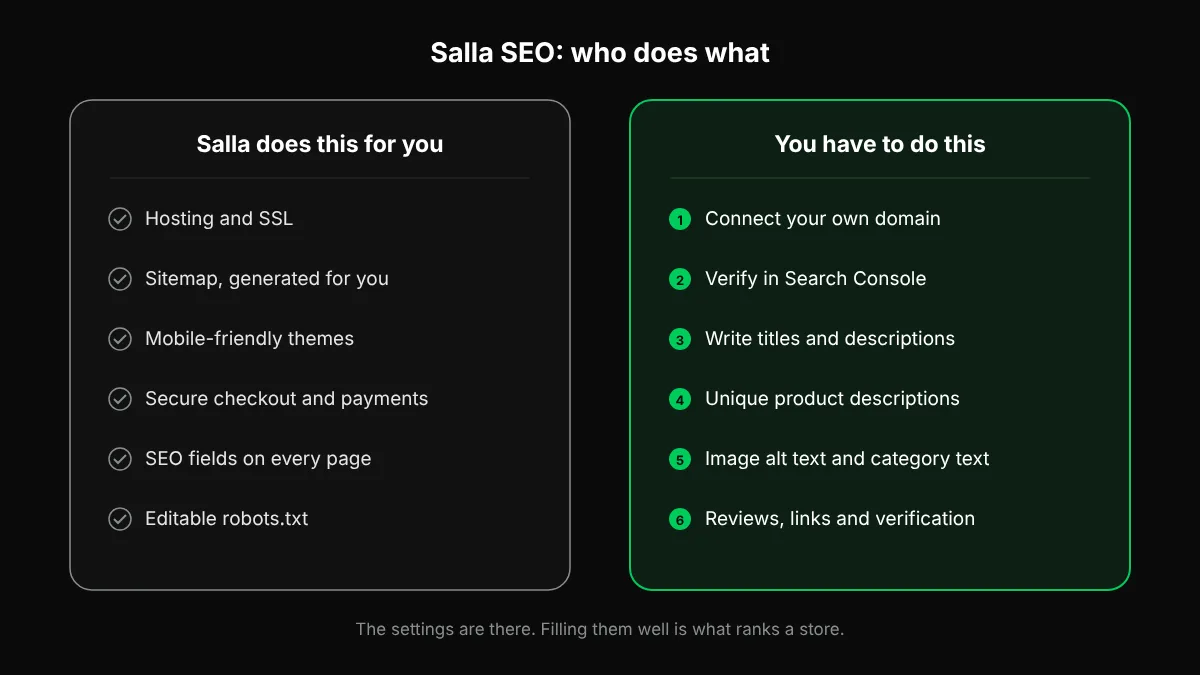
In short, Salla gives you a working store and the settings to describe it. It does not write your product pages, choose your keywords or earn your reputation. That part is the whole job.
How do you set up Salla SEO in the dashboard?
Do these six steps once, in this order. Most of them take minutes.
1. Connect your own domain
A new store runs on a salla.sa address. Connect your own domain from the domain settings before you do anything else. It is also a requirement for Google Merchant Center, so you will need it later anyway.2
2. Verify your domain in Google Search Console
Search Console is how Google tells you what it sees on your store. To verify on Salla, add your domain in Search Console and copy the TXT record it gives you. Then in Salla open Store settings → Domain settings → DNS settings, add a new TXT record with @ as the name, paste the value and save.3 Go back to Search Console and click Verify.
3. Submit your sitemap
Your sitemap lists every page you want Google to find. In Salla go to Marketing tools → Search engine optimization, click Sitemap under general settings and copy the link. In Search Console, open Sitemaps, paste it and submit.1
4. Write your home page title and description
On the same SEO page, open Home page improvements. Write a title and description that say what you sell and where, for example the product type and "delivery across Saudi Arabia", not just your store name.1
5. Set Quick SEO templates
Salla's Quick SEO optimization lets you set a default title and description pattern for products, categories and brands, and it applies to everything you add later.4 Use it as a safety net so no page goes out blank. Salla itself notes it does not replace proper optimisation, so still write your top pages by hand.
6. Leave robots.txt alone unless you know why
Unlike many hosted platforms, Salla lets you edit the robots.txt file from the SEO page.4 That is useful for blocking pages that should never appear in Google, but one wrong line can hide your whole store. If you are not sure, do not touch it.
How do you optimise Salla product pages?
Product pages are where shoppers buy, and where most Salla stores lose. Open any product, click Product data, and fill in the SEO improvements section: the page title, the custom product link and the description.1 If you leave the link empty, Salla uses its default.
| Field | Weak | Better |
|---|---|---|
| Product name | Oud oil 12 | Cambodian oud oil, 12 ml, long-lasting |
| Page title | Store name | Product | Cambodian Oud Oil 12 ml | Fast Delivery in Saudi Arabia |
| Description | Copied from the supplier | Your own words: scent, how long it lasts, size, who it suits, delivery time |
| Image alt text | IMG_4471 | 12 ml bottle of Cambodian oud oil with gold cap |
| Product link | Default number | Short and readable, with the product name |
Three rules matter most:
- Write your own descriptions. When many stores publish the same supplier text, Google picks one version to show and treats the others as duplicates.5 Yours is unlikely to be the one it picks. Start with your 20 best-selling products.
- Add alt text to every image. On the product card, click Add image or video, then Alt, describe the image and save.1 Google reads the text, not the picture.
- Use the words shoppers type. Saudi shoppers mix formal Arabic, everyday Gulf words and English. Someone looking for perfume may type عطر or the everyday برفان. Use both naturally across the page, never as a list.
How do you optimise category and brand pages?
Category pages often bring more search traffic than single products, because they match broader searches such as "women's perfume" or "men's abayas". Go to Services → Store categories, click the three dots on a category and choose SEO improvements to set its title, link and description.1 Brand pages work the same way under Services → Brands.
Then give each main category a short introduction of two or three sentences above the products: what is in it, who it is for, and one link to a related category. A grid of photos with no text gives Google almost nothing to rank.
Should your Salla store be in Arabic and English?
If you sell to expatriates or across the GCC, yes. Salla's help centre explains that English product links only appear in your sitemap once you turn on multiple languages and enter product names in both Arabic and English.1
Write each language properly rather than machine-translating. An Arabic page that reads like a translation loses shoppers as fast as one with spelling mistakes. If you want help with it, see our SEO services in Saudi Arabia.
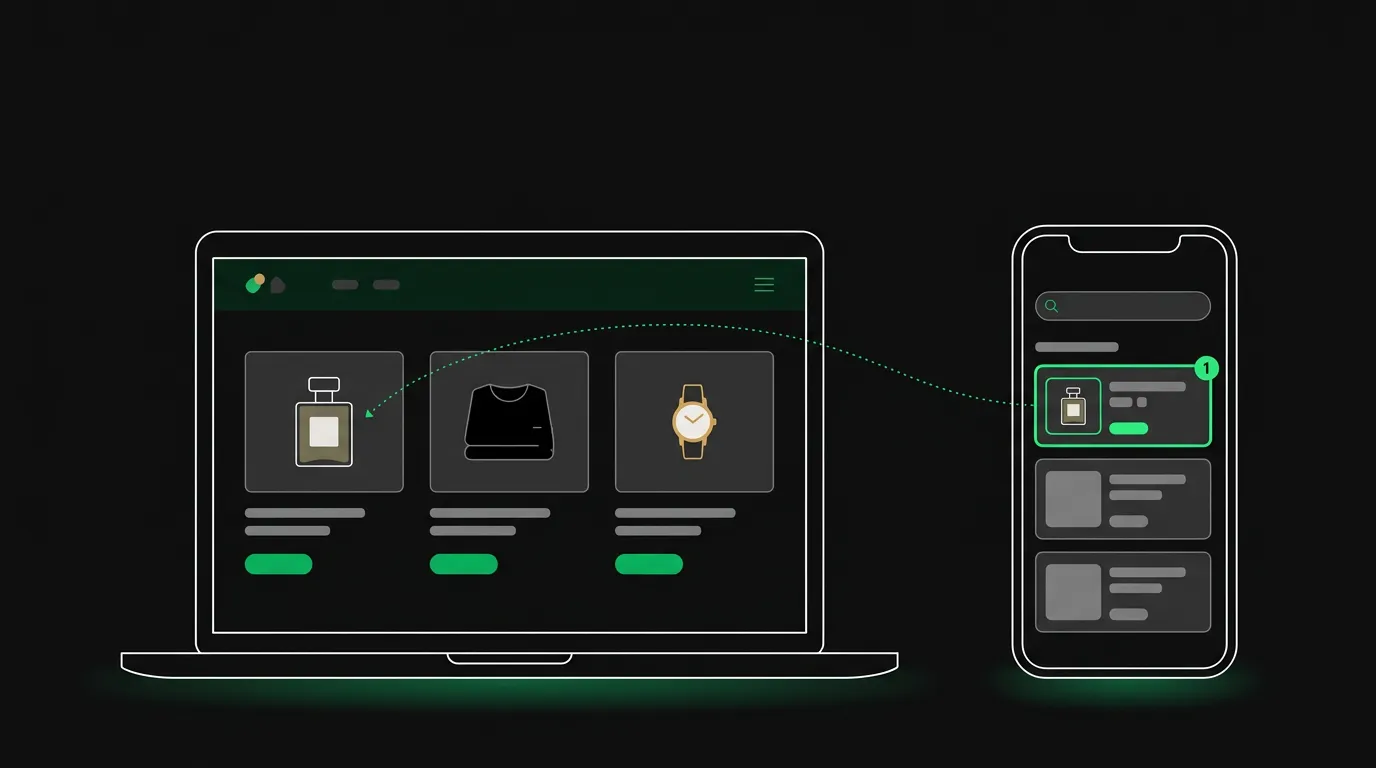
How do you get Salla products into Google Shopping for free?
Through Google Merchant Center. Salla has a Google Merchant Center app in its App Store that gives you a product feed link to submit. Salla lists two requirements first: your own domain, and completed site ownership verification.2
Once connected, your products can appear in Google's free product listings, not only in paid Shopping ads. For many stores this is the fastest route to search visibility, because it does not depend on your pages ranking first.
What builds trust and authority for a Salla store?
Google ranks stores that other people clearly know and trust. Four things help:
- Official verification. Online stores in Saudi Arabia are now verified on the Business Platform run by the Saudi Business Center. The Ministry of Commerce moved verification there from Maroof in 2023.6 Show the verification on your store.
- Customer reviews. Ask buyers to review the product they bought. Reviews add fresh, natural wording to product pages and reassure the next shopper.
- Links from Saudi sites. A mention on a Saudi lifestyle blog, a supplier's site or a local news story is worth more than dozens of low-quality directory links.
- Brand searches. When people see you on Snapchat, TikTok or Instagram and then search your store name, that branded search is a strong sign of a real business.
How long does Salla SEO take?
Expect indexing within a few weeks of submitting your sitemap, and real ranking gains over months, not weeks. A store competing for crowded terms like "perfumes" will take longer than one selling a specific product to a specific audience. We explain the stages in how long SEO takes in Saudi Arabia.
The competition is real. Salla's chief technology officer said in February 2025 that the platform had supported more than 60,000 online stores in the Kingdom.7 That is why the specific, well-written store wins over the generic one.
What should you do in your first 30 days?
- Days 1 to 3: set up the foundations. Custom domain, Search Console verification and sitemap submission.
- Days 3 to 5: fill the store-wide settings. Home page title and description, and Quick SEO templates for products, categories and brands.
- Days 5 to 20: rewrite your top 20 products. Title, description, product link and image alt text for each.
- Days 15 to 25: fix your main categories. SEO fields plus a short introduction on each.
- Days 20 to 30: connect Merchant Center and confirm your Business Platform verification is shown on the store.
- Day 30: check Search Console. Look at which pages are indexed and which searches you now appear for, then do the next 20 products.
Key takeaways
- Salla SEO is mostly content work: Salla runs the platform, you write the pages.
- Connect your own domain and verify it in Search Console before anything else.
- Every product, category and brand has its own SEO fields. Fill them, starting with your best sellers.
- Write your own product descriptions; supplier copy is shared by many stores.
- Use Merchant Center for free product listings, and the Business Platform for official verification.
Frequently asked questions
Is Salla good for SEO?
Yes, for most small and medium stores. Salla gives you SEO fields for products, categories and brands, a sitemap, editable robots.txt and image alt text. What it cannot do is write your content or earn your reputation, and those decide most rankings.
Can I edit robots.txt on Salla?
Yes. Go to Marketing tools, then Search engine optimization, and open the Robots.txt file under general settings. Change it only if you know exactly which pages you want to block, because a wrong rule can stop Google crawling your whole store.
Do I need a custom domain for Salla SEO?
You should have one. A domain of your own builds your brand rather than the platform's, and Salla lists it as a requirement for connecting Google Merchant Center. Set it up before you start building links or running campaigns.
Does Salla add product schema automatically?
Check rather than assume, because it can depend on your theme. Paste one of your product page links into Google's Rich Results Test. If it shows a Product result with price and availability, your theme is outputting it. If not, ask your theme developer.
Why is Google showing "Crawled – currently not indexed" for my Salla products?
Google decides this, not Salla. It usually means Google did not find the page useful enough to index yet, often because the description is thin or copied. Improve the content, then request indexing again in Search Console.
Sources and references
Every figure and dashboard path in this article links to its source. Links last checked 20 November 2026.
- How to improve your store's SEO on SallaSalla Help Center. What store owners control, home page, sitemap, product, category and brand SEO fields, image alt text and English links in the sitemap.
- How to connect your store to Google Merchant CenterSalla Help Center. Custom domain and site verification required.
- Verify domain ownership and manage DNSSalla Help Center. Adding the Search Console TXT record in DNS settings.
- Improve your store visibility on search enginesSalla Help Center. Quick SEO optimization and the editable robots.txt file.
- How to specify a canonical URLGoogle Search Central. When content is duplicated, Google chooses the canonical version to show.
- E-stores can now be registered via Business Platform instead of MaroofSaudi Ministry of Commerce, March 2023.
- Salla supports over 60,000 online storesSharikat Mubasher, February 2025, quoting Salla's CTO.
Want a second pair of eyes on your Salla store?
Send us your store link. We'll check your Search Console setup, your top products and your category pages, and tell you the five fixes that would matter most.

About SEORTIX
SEORTIX is an SEO and web development agency, founded in 2019. We work remotely with businesses across the GCC and worldwide, and we write about what we do every day: SEO, visibility in AI search, and websites built to rank.
- Every statistic links to its original source.
- Examples come from real work, shared with the client's permission.
- When facts change, we update the article and show the new date.